

立创开源硬件平台 工程描述 Markdown 排版优化
带居中描述的图片展示
效果
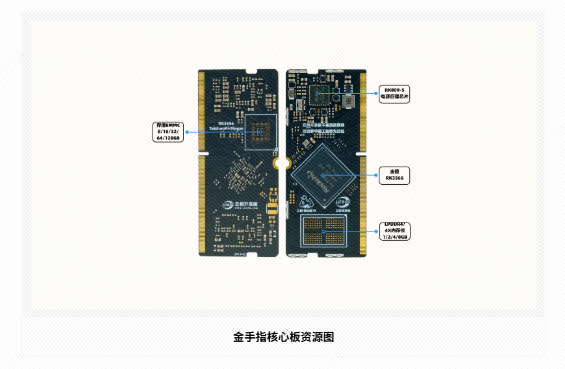
带颜色背景高亮显示的标题
<div style="
 background-color: #f0f8ff;
 border-radius: 12px;
 padding: 20px;
 margin: 15px 0;
">
 <span style="
   font-weight: bold;
   font-size: 1.2em;
   display: block;
   color: #2c3e50;
   border-left: 4px solid #3498db; /* 左侧装饰线 */
   padding-left: 10px;
 ">
   这是什么
 </span>
 <p style="color: #34495e; line-height: 1.6">
   <code>STM32F103C8T6</code> 搭载 <a href="https://github.com/AstraThreshold/oled-ui-astra-lite">oled-ui-astra-lite</a> 固件,精美 UI 监测开发板状态收发 F411 和外部串口信息</br>
   <code>STM32F411CEU6</code> 用户自定义开发,通过扩展板引出IO,也可控制屏幕学习UI
 </p>
</div>
效果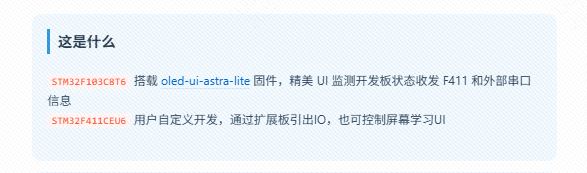
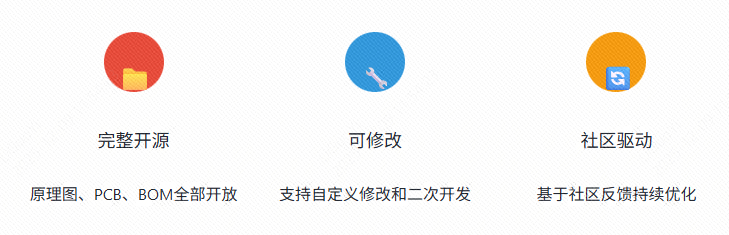
水平排列下 图标+圆形背景色+标题展示
<div style="display: flex; justify-content: space-around; flex-wrap: wrap; margin: 25px 0;">
  <div style="text-align: center; margin: 10px; flex: 1; min-width: 200px;">
    <div style="background-color: #e74c3c; color: white; padding: 15px; border-radius: 50%; width: 60px; height: 60px; line-height: 60px; margin: 0 auto; font-size: 24px;">📁</div>
    <h4>完整开源</h4>
    <p>原理图、PCB、BOM全部开放</p>
  </div>
  <div style="text-align: center; margin: 10px; flex: 1; min-width: 200px;">
    <div style="background-color: #3498db; color: white; padding: 15px; border-radius: 50%; width: 60px; height: 60px; line-height: 60px; margin: 0 auto; font-size: 24px;">🔧</div>
    <h4>可修改</h4>
    <p>支持自定义修改和二次开发</p>
  </div>
  <div style="text-align: center; margin: 10px; flex: 1; min-width: 200px;">
    <div style="background-color: #f39c12; color: white; padding: 15px; border-radius: 50%; width: 60px; height: 60px; line-height: 60px; margin: 0 auto; font-size: 24px;">🔄</div>
    <h4>社区驱动</h4>
    <p>基于社区反馈持续优化</p>
  </div>
</div>
效果:
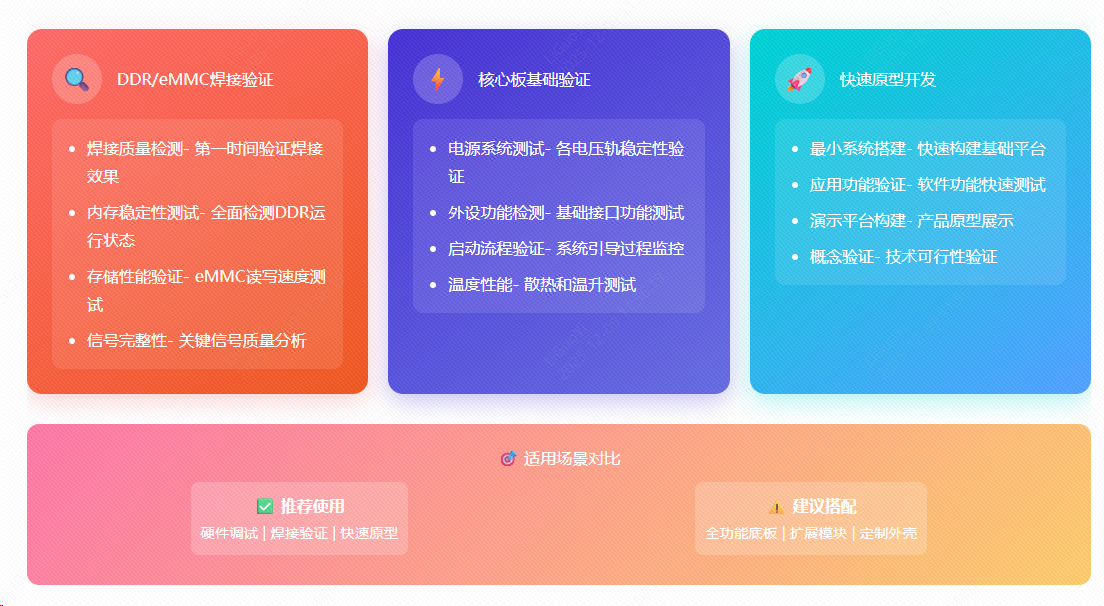
水平排列下的矩形图标+标题+列表内容展示
<div style="display: grid; grid-template-columns: repeat(auto-fit, minmax(300px, 1fr)); gap: 20px; margin: 30px 0;">
<div style="background: linear-gradient(145deg, #ff6b6b, #ee5a24); border-radius: 15px; padding: 25px; color: white; box-shadow: 0 8px 25px rgba(255, 107, 107, 0.3);">
<div style="display: flex; align-items: center; margin-bottom: 15px;">
<div style="background: rgba(255, 255, 255, 0.2); width: 50px; height: 50px; border-radius: 50%; display: flex; align-items: center; justify-content: center; margin-right: 15px; font-size: 24px;">🔍</div>
DDR/eMMC焊接验证
</div>
<div style="background: rgba(255, 255, 255, 0.1); padding: 15px; border-radius: 10px;">
<ul style="margin: 0; padding-left: 20px;">
<li style="margin-bottom: 8px;">焊接质量检测- 第一时间验证焊接效果</li>
<li style="margin-bottom: 8px;">内存稳定性测试- 全面检测DDR运行状态</li>
<li style="margin-bottom: 8px;">存储性能验证- eMMC读写速度测试</li>
<li>信号完整性- 关键信号质量分析</li>
</ul>
</div>
</div>
<div style="background: linear-gradient(145deg, #4834d4, #686de0); border-radius: 15px; padding: 25px; color: white; box-shadow: 0 8px 25px rgba(72, 52, 212, 0.3);">
<div style="display: flex; align-items: center; margin-bottom: 15px;">
<div style="background: rgba(255, 255, 255, 0.2); width: 50px; height: 50px; border-radius: 50%; display: flex; align-items: center; justify-content: center; margin-right: 15px; font-size: 24px;">⚡</div>
核心板基础验证
</div>
<div style="background: rgba(255, 255, 255, 0.1); padding: 15px; border-radius: 10px;">
<ul style="margin: 0; padding-left: 20px;">
<li style="margin-bottom: 8px;">电源系统测试- 各电压轨稳定性验证</li>
<li style="margin-bottom: 8px;">外设功能检测- 基础接口功能测试</li>
<li style="margin-bottom: 8px;">启动流程验证- 系统引导过程监控</li>
<li>温度性能- 散热和温升测试</li>
</ul>
</div>
</div>
<div style="background: linear-gradient(145deg, #00d2d3, #54a0ff); border-radius: 15px; padding: 25px; color: white; box-shadow: 0 8px 25px rgba(0, 210, 211, 0.3);">
<div style="display: flex; align-items: center; margin-bottom: 15px;">
<div style="background: rgba(255, 255, 255, 0.2); width: 50px; height: 50px; border-radius: 50%; display: flex; align-items: center; justify-content: center; margin-right: 15px; font-size: 24px;">🚀</div>
快速原型开发
</div>
<div style="background: rgba(255, 255, 255, 0.1); padding: 15px; border-radius: 10px;">
<ul style="margin: 0; padding-left: 20px;">
<li style="margin-bottom: 8px;">最小系统搭建- 快速构建基础平台</li>
<li style="margin-bottom: 8px;">应用功能验证- 软件功能快速测试</li>
<li style="margin-bottom: 8px;">演示平台构建- 产品原型展示</li>
<li>概念验证- 技术可行性验证</li>
</ul>
</div>
</div>
</div>
<div style="background: linear-gradient(135deg, #fd79a8, #fdcb6e); border-radius: 12px; padding: 20px; margin: 25px 0; text-align: center; color: white;">
🎯 适用场景对比
<div style="display: flex; justify-content: space-around; flex-wrap: wrap;">
<div style="margin: 10px; padding: 10px; background: rgba(255,255,255,0.2); border-radius: 8px; min-width: 200px;">
<div style="font-weight: bold;">✅ 推荐使用</div>
<div style="font-size: 0.9em;">硬件调试 | 焊接验证 | 快速原型</div>
</div>
<div style="margin: 10px; padding: 10px; background: rgba(255,255,255,0.2); border-radius: 8px; min-width: 200px;">
<div style="font-weight: bold;">⚠️ 建议搭配</div>
<div style="font-size: 0.9em;">全功能底板 | 扩展模块 | 定制外壳</div>
</div>
</div>
</div>
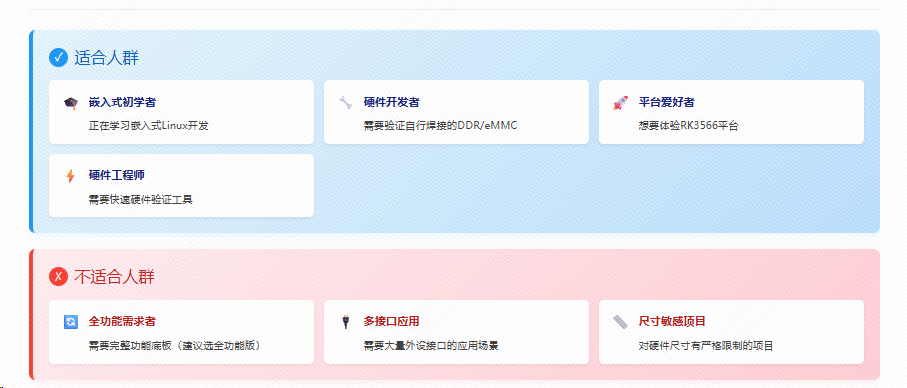
效果:
带颜色背景的对比图
<div style="display: flex; flex-direction: column; gap: 20px; margin: 25px 0;">

<div style="background: linear-gradient(135deg, #e3f2fd 0%, #bbdefb 100%); border-left: 5px solid #2196f3; border-radius: 8px; padding: 20px; box-shadow: 0 4px 12px rgba(33, 150, 243, 0.1);">
  <h3 style="margin-top: 0; color: #1565c0; display: flex; align-items: center; gap: 8px;">
    <span style="background: #2196f3; color: white; width: 24px; height: 24px; border-radius: 50%; display: inline-flex; align-items: center; justify-content: center; font-size: 14px;">✓</span>
    适合人群
  </h3>
  <div style="display: grid; grid-template-columns: repeat(auto-fit, minmax(250px, 1fr)); gap: 12px;">
    <div style="background: white; padding: 12px 15px; border-radius: 6px; display: flex; align-items: flex-start; gap: 10px; box-shadow: 0 2px 4px rgba(0,0,0,0.05);">
      <span style="color: #2196f3; font-size: 18px;">🎓</span>
      <div>
        <strong style="color: #1a237e; font-size: 14px;">嵌入式初学者</strong>
        <p style="margin: 5px 0 0 0; color: #424242; font-size: 13px;">正在学习嵌入式Linux开发</p>
      </div>
    </div>
    <div style="background: white; padding: 12px 15px; border-radius: 6px; display: flex; align-items: flex-start; gap: 10px; box-shadow: 0 2px 4px rgba(0,0,0,0.05);">
      <span style="color: #2196f3; font-size: 18px;">🔧</span>
      <div>
        <strong style="color: #1a237e; font-size: 14px;">硬件开发者</strong>
        <p style="margin: 5px 0 0 0; color: #424242; font-size: 13px;">需要验证自行焊接的DDR/eMMC</p>
      </div>
    </div>
    <div style="background: white; padding: 12px 15px; border-radius: 6px; display: flex; align-items: flex-start; gap: 10px; box-shadow: 0 2px 4px rgba(0,0,0,0.05);">
      <span style="color: #2196f3; font-size: 18px;">🚀</span>
      <div>
        <strong style="color: #1a237e; font-size: 14px;">平台爱好者</strong>
        <p style="margin: 5px 0 0 0; color: #424242; font-size: 13px;">想要体验RK3566平台</p>
      </div>
    </div>
    <div style="background: white; padding: 12px 15px; border-radius: 6px; display: flex; align-items: flex-start; gap: 10px; box-shadow: 0 2px 4px rgba(0,0,0,0.05);">
      <span style="color: #2196f3; font-size: 18px;">⚡</span>
      <div>
        <strong style="color: #1a237e; font-size: 14px;">硬件工程师</strong>
        <p style="margin: 5px 0 0 0; color: #424242; font-size: 13px;">需要快速硬件验证工具</p>
      </div>
    </div>
  </div>
</div>

<div style="background: linear-gradient(135deg, #ffebee 0%, #ffcdd2 100%); border-left: 5px solid #f44336; border-radius: 8px; padding: 20px; box-shadow: 0 4px 12px rgba(244, 67, 54, 0.1);">
  <h3 style="margin-top: 0; color: #c62828; display: flex; align-items: center; gap: 8px;">
    <span style="background: #f44336; color: white; width: 24px; height: 24px; border-radius: 50%; display: inline-flex; align-items: center; justify-content: center; font-size: 14px;">✗</span>
    不适合人群
  </h3>
  <div style="display: grid; grid-template-columns: repeat(auto-fit, minmax(250px, 1fr)); gap: 12px;">
    <div style="background: white; padding: 12px 15px; border-radius: 6px; display: flex; align-items: flex-start; gap: 10px; box-shadow: 0 2px 4px rgba(0,0,0,0.05);">
      <span style="color: #f44336; font-size: 18px;">🔄</span>
      <div>
        <strong style="color: #b71c1c; font-size: 14px;">全功能需求者</strong>
        <p style="margin: 5px 0 0 0; color: #424242; font-size: 13px;">需要完整功能底板(建议选全功能版)</p>
      </div>
    </div>
    <div style="background: white; padding: 12px 15px; border-radius: 6px; display: flex; align-items: flex-start; gap: 10px; box-shadow: 0 2px 4px rgba(0,0,0,0.05);">
      <span style="color: #f44336; font-size: 18px;">🔌</span>
      <div>
        <strong style="color: #b71c1c; font-size: 14px;">多接口应用</strong>
        <p style="margin: 5px 0 0 0; color: #424242; font-size: 13px;">需要大量外设接口的应用场景</p>
      </div>
    </div>
    <div style="background: white; padding: 12px 15px; border-radius: 6px; display: flex; align-items: flex-start; gap: 10px; box-shadow: 0 2px 4px rgba(0,0,0,0.05);">
      <span style="color: #f44336; font-size: 18px;">📏</span>
      <div>
        <strong style="color: #b71c1c; font-size: 14px;">尺寸敏感项目</strong>
        <p style="margin: 5px 0 0 0; color: #424242; font-size: 13px;">对硬件尺寸有严格限制的项目</p>
      </div>
    </div>
  </div>
</div>

</div>
效果:


评论